
Update Object
The Update node is used to modify an existing record of a selected entity.
Unlike the Create node, which defines values for all entity fields, the Update node allows updating only selected fields.
Fields that are not explicitly configured remain unchanged.
The Update node defines how new values are assigned to existing entity fields using:
static values
values referenced from the DataStore
dynamically computed values defined using the Expression Language
Execution Behavior
During execution, the Update node:
resolves the target entity record
evaluates configured field updates
applies value changes in memory
stores the updated object in the DataStore
The Update node does not immediately persist changes to the database.
Final persistence occurs later during Flow execution.
Entity and Record Selection
The first configuration step is selecting the target entity.
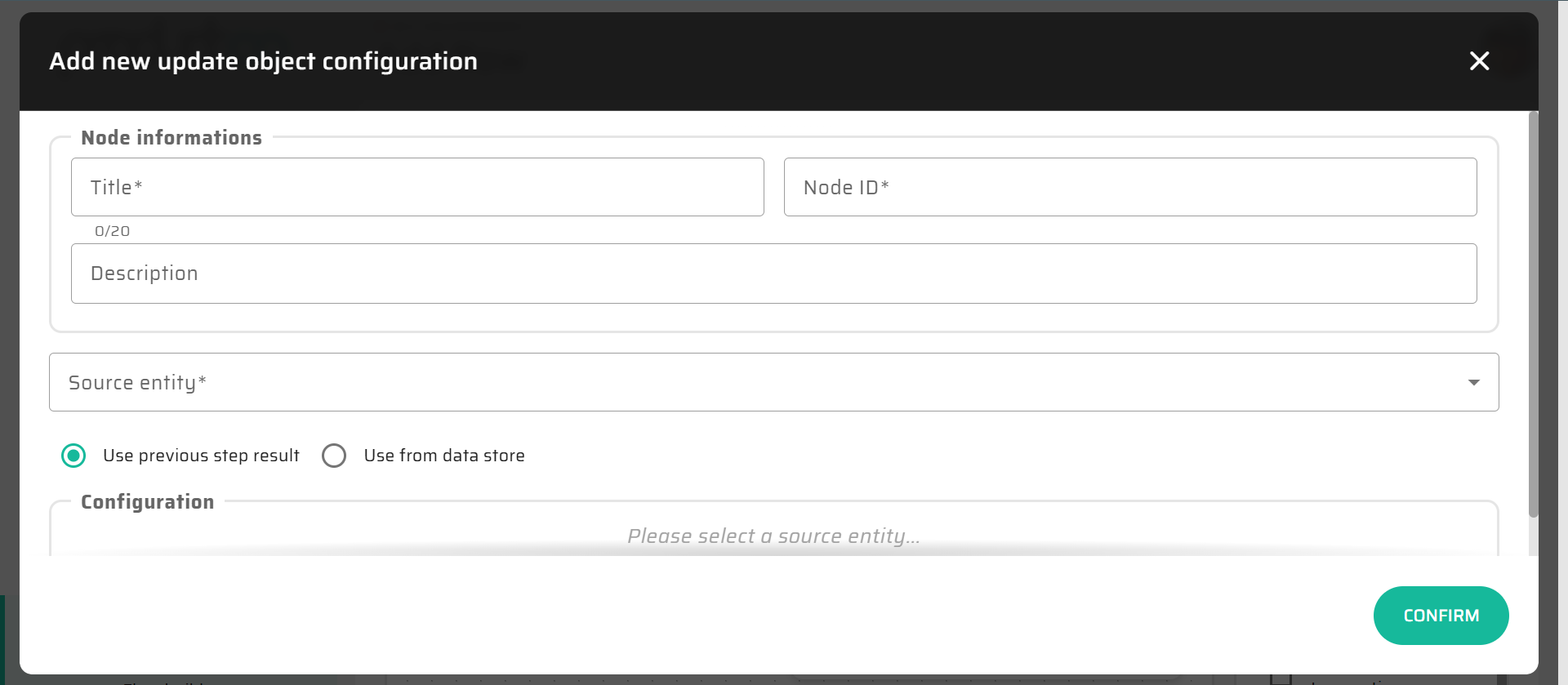
The Update node operates on an existing record, which is typically obtained from:
a preceding Load node
a previous Create node
the DataStore
The source of the record defines which entity instance will be updated.
Field Selection
Unlike the Create node, the Update node does not automatically expose all entity fields.
Instead, the user explicitly selects:
which fields should be updated
which fields should remain unchanged
This selective approach:
reduces accidental data overwrites
improves clarity of intent
supports partial updates
Field Value Definition
For each selected field, a new value must be defined.
Field values can be defined using the same mechanisms as in the Create node:
Static Values
Fixed values entered directly.
Typical use cases:
setting a status
toggling a flag
assigning a constant classification
DataStore References
Values can be taken directly from the DataStore, such as:
input variables
loaded object fields
values computed earlier in the Flow
This enables straightforward propagation of data through the process.
Expression Language Values
Field values can be defined using Expression Language.
Expressions allow:
transforming existing field values
combining multiple DataStore values
computing derived attributes
conditionally updating fields
Expressions are evaluated at runtime against the current DataStore state.
For syntax rules, functions, and type compatibility, see Expression Language (Low-Code Syntax).
Expression Evaluation Context
Expressions in the Update node:
are evaluated before persistence
operate on in-memory DataStore values
must resolve to a value compatible with the target field type
do not modify state outside the updated fields
Only fields explicitly configured in the Update node are affected.
Updated Object in DataStore
After execution, the updated object is stored in the DataStore.
It can be:
referenced by subsequent nodes
used in If node conditions
returned to the client via the End node
further modified by additional Update nodes
Interaction with Expression Language
The Update node is a common place for applying incremental or conditional logic using Expression Language.
Typical scenarios include:
recalculating derived fields
normalizing data
updating timestamps or counters
conditionally modifying values based on Flow context
As with Create, expressions should focus on value computation, not control flow.
Typical Usage
The Update node is typically used to:
modify records loaded earlier in the Flow
apply changes based on process logic
update statuses, flags, or calculated values
finalize data before Flow completion
Update nodes often appear after Load or If nodes.
Notes and Limitations
Only selected fields are updated
Fields not configured remain unchanged
The Update node does not create new records
Complex decision logic should be modeled using If nodes
Excessive expression complexity may reduce readability