
Using Attendace Module in Production Control
The Attendance module in Production Control connects planning and real-time shop floor execution.
While master data defines who can work, this part explains how to manage who actually is working — and when.
It is primarily used by Team Leaders, Shift Supervisors, and Production Coordinators to:
plan and assign operators to shifts and lines,
manage and approve leave requests,
review current and past shifts,
and monitor real-time presence directly from the production environment.
The interface provides a live overview of all operators, shifts, and attendance records.
It is the bridge between production scheduling and HR time tracking.
How to Access the Attendance Module
After logging into Production Control, users with access rights to Attendance will see the Attendance icon in the left-hand navigation panel.
Clicking this icon opens the module, which contains two main tabs:
Operators – for managing people, teams, and requests.
Shift Overview – for managing shift definitions and operator assignments.
Each tab contains interactive tools for scheduling, editing, and validating attendance data.
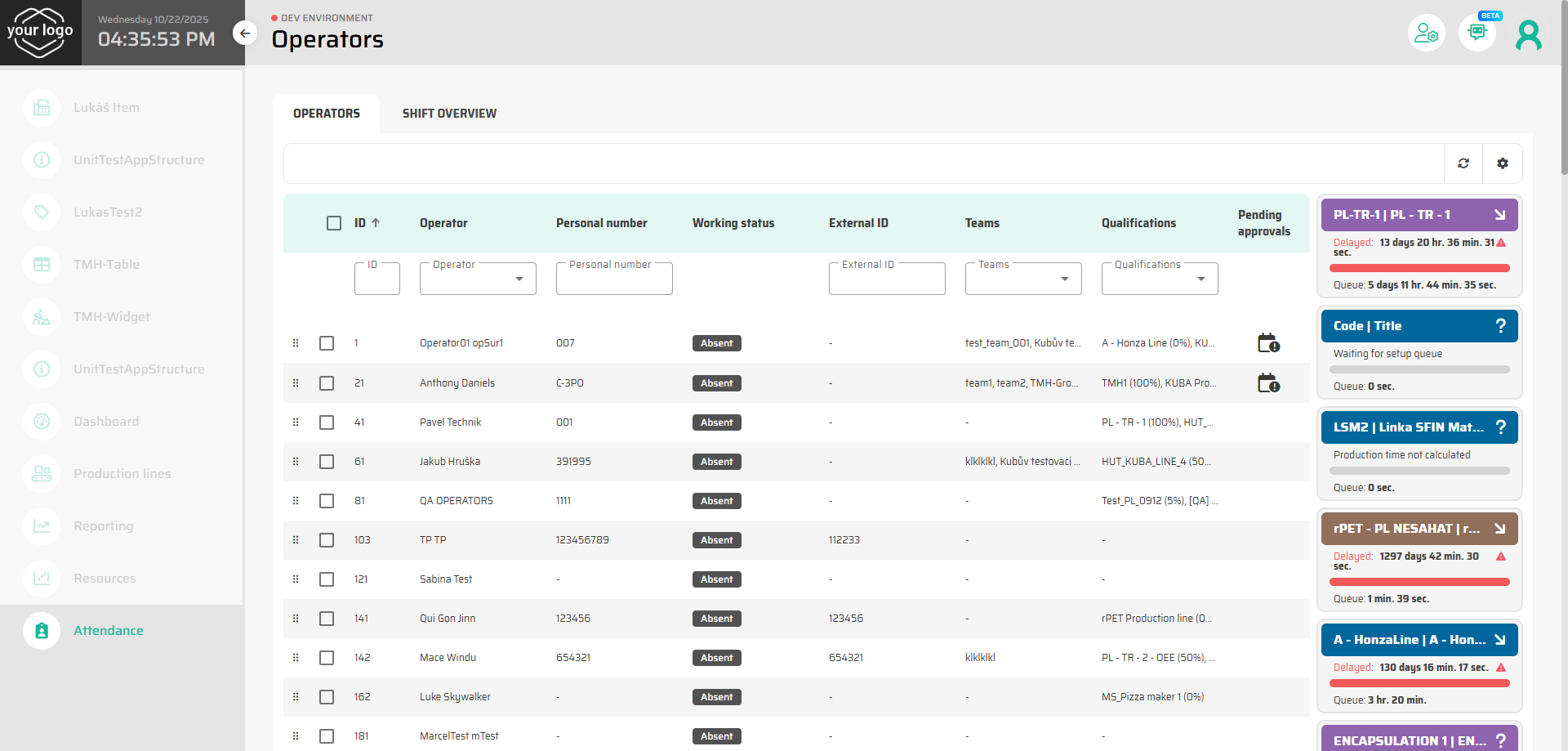
User Roles and Permissions
Depending on the user role:
Team Leaders can manage attendance for their own teams, approve or reject leave requests, and assign operators to production lines.
Supervisors can view all teams and adjust shifts or operators across multiple lines.
Administrators can edit or override assignments and monitor overall attendance compliance.
This ensures that access and visibility correspond to each role’s operational responsibility.
Workflow Overview
A typical workflow in Production Control with the Attendance module looks like this:
Team Leader reviews the list of operators on the Operators tab.
Missing or unassigned operators are planned onto production lines for the upcoming shift.
Leave requests are reviewed and approved or rejected as needed.
On the Shift Overview tab, Team Leader checks that all shifts are covered and corrects staffing if required.
Attendance and work logs are automatically collected during the shift and can later be reviewed for reporting.
This flow creates a continuous connection between planned schedules, real execution, and attendance data.
Navigation Structure
This section of the guide is divided into four detailed pages:
Each page provides visual examples, screenshots, and step-by-step guidance to help you operate the Attendance module efficiently.
Next Step
Continue to the first detailed page: Working with Operators Tab