
Start
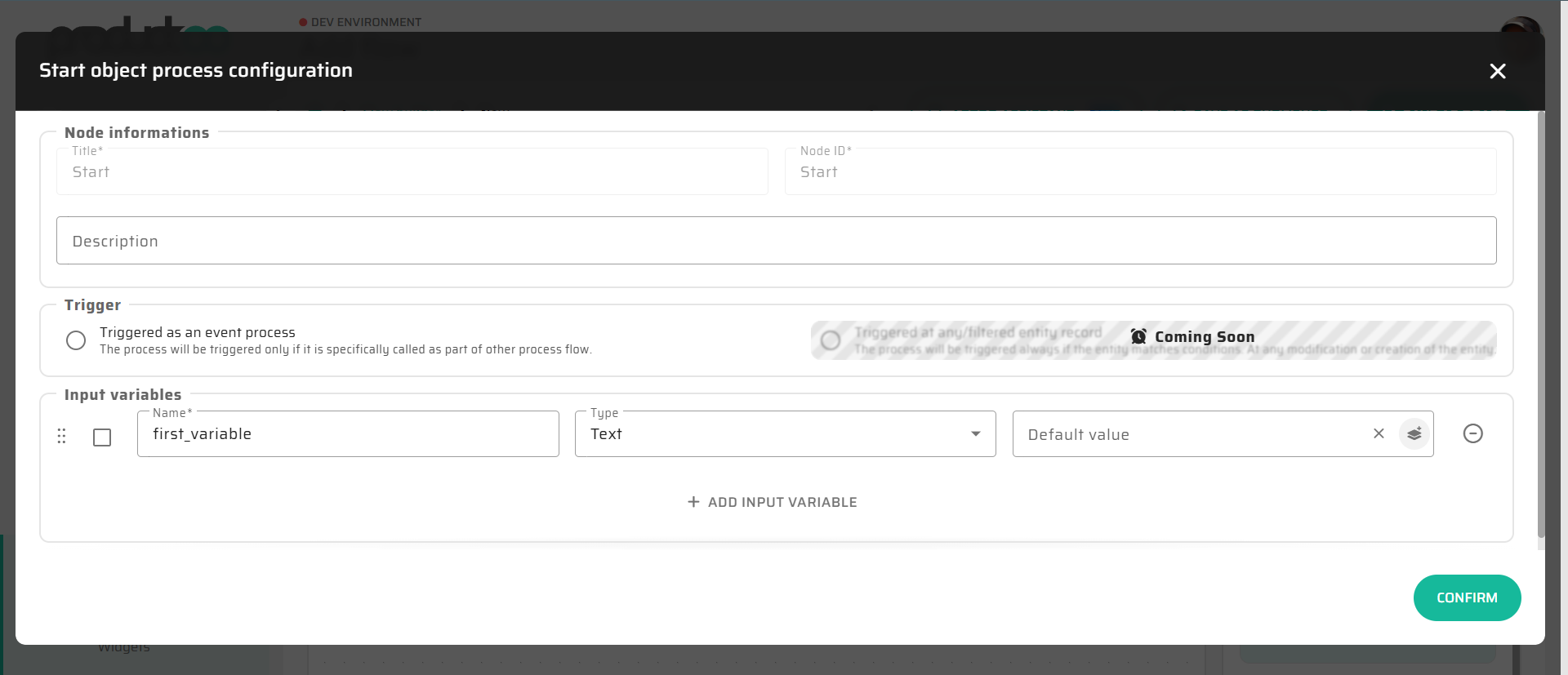
The Start node defines the entry point of every Flow.

It initializes the execution context and declares input variables that represent data provided by the Flow caller, such as:
a user interface
an external system
another process
Every Flow must contain exactly one Start node.
Execution Behavior
The Start node is executed automatically when a Flow is launched.
During execution:
input values are validated
input variables are initialized
values are converted to their defined internal data types
the DataStore is prepared for subsequent nodes
After successful execution of the Start node, the Flow continues to the next connected node.
Input Variables
Input variables define the external interface of the Flow.
Each input variable has:
a name
a data type
an optional “required” flag
If an input variable is marked as required and the value is not provided, the Flow cannot be started.
Input values are automatically converted to the internal data type defined at variable level.
Interaction with Variables and DataStore
Input variables defined in the Start node are stored in the DataStore and become available to all subsequent nodes.
They can be accessed using standard DataStore references, for example:
{{dataStore.variables.orderId}}Expression Language Usage
Values defined by the Start node are the most common inputs used inside Expression Language expressions throughout the Flow.
For example:
validating input values in an If node
transforming input data before persistence
computing derived values based on user input
For syntax rules and available functions, see Expression Language (Low-Code Syntax).
Typical Usage
The Start node is typically used to:
define the input contract of a process
validate required inputs
establish the initial context for Flow execution
decouple process logic from the calling system
Well-designed Start nodes make Flows reusable and predictable.
Notes and Limitations
Only one Start node is allowed per Flow
The Start node cannot be conditional
The Start node does not modify persistent data
Complex validation logic should be modeled using subsequent If nodes rather than in the Start node itself