
Initializing Kanban Cards
Now that we can create a master definition for a Kanban Loop, we need physical (or rather, digital) cards to move through it. We will create a process called "Kanban Loop Initialization".
The business logic for this flow is straightforward:
Check how many Kanban Cards are currently generated for the loop.
Check how many Kanban Cards should be in the loop according to its definition.
Generate any missing Kanban Cards and place them in the Launcher.
Navigate to Configuration Studio ➔ Process Builder ➔ Flows and create a new flow.
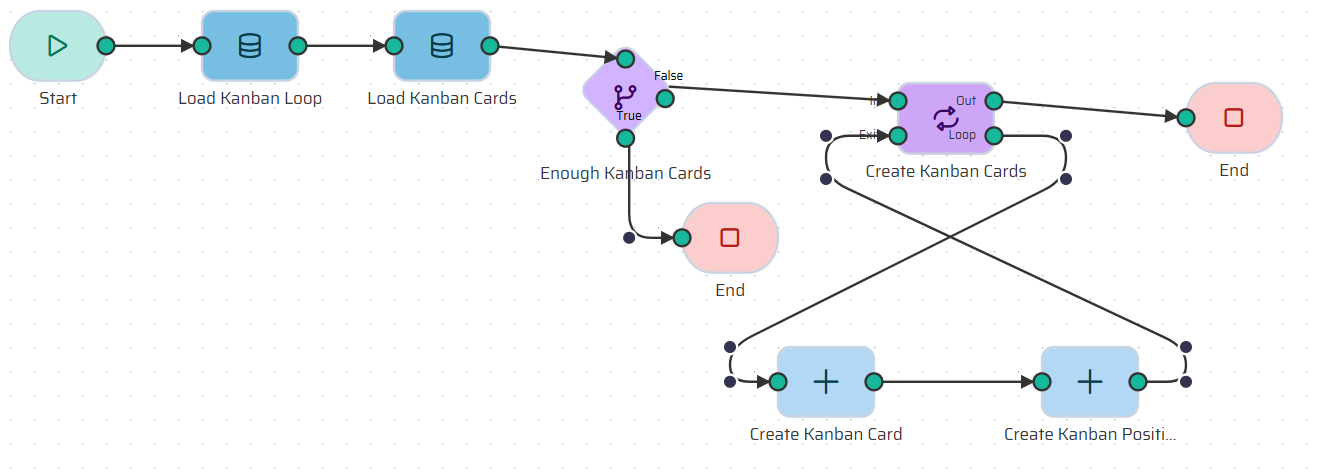
Step 1: The Start Node
We only need one piece of information to trigger this process: which loop are we initializing?
In the Start node, create one Input Variable named
id_kanban_loop(Type: Number).
Step 2: Load the Loop Definition
We need to know the target Number_of_cards from the loop's definition. We will use the Load Object node to retrieve this data from the database into our temporary memory.
Add a Load Object node and name it Load Kanban Loop.
Entity: Select
KANBAN_LOOP.Filters: We only want the specific loop we are initializing. Set the filter where
idEquals{{datastore.process.Start.id_kanban_loop}}.Limit: Select
Single record(since we only expect one loop to match this ID).
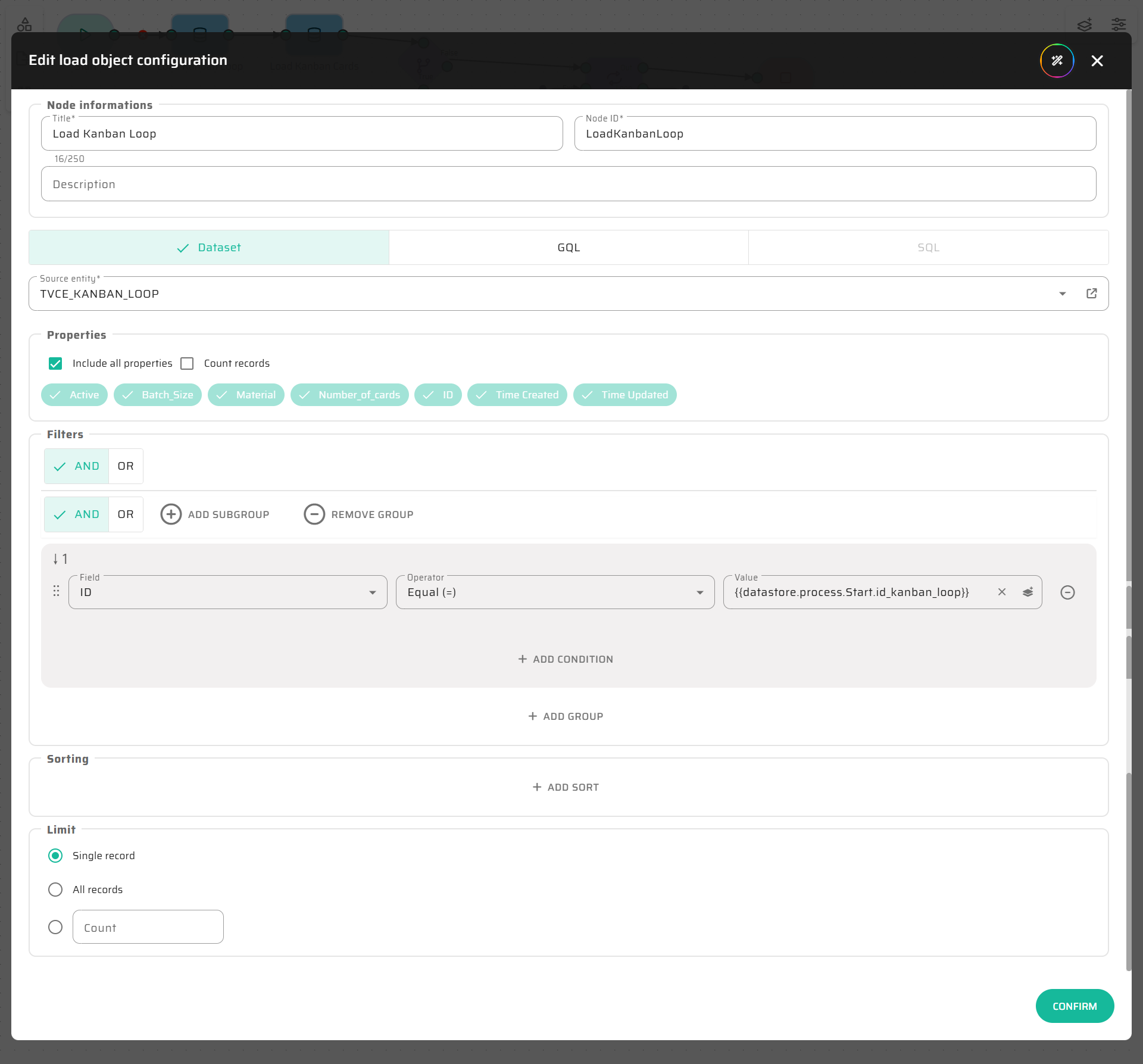
Step 3: Count Existing Cards
Next, we need to know how many cards already exist. Instead of loading all the card data, we can use a built-in no-code feature to simply count them.
Add another Load Object node and name it Load Kanban Cards.
Entity: Select
KANBAN_CARD.Properties: Check the Count records box. This tells the system to return a simple number instead of a list of objects.
Filters: Filter where
id_kanban_loopEquals{{datastore.process.Start.id_kanban_loop}}.
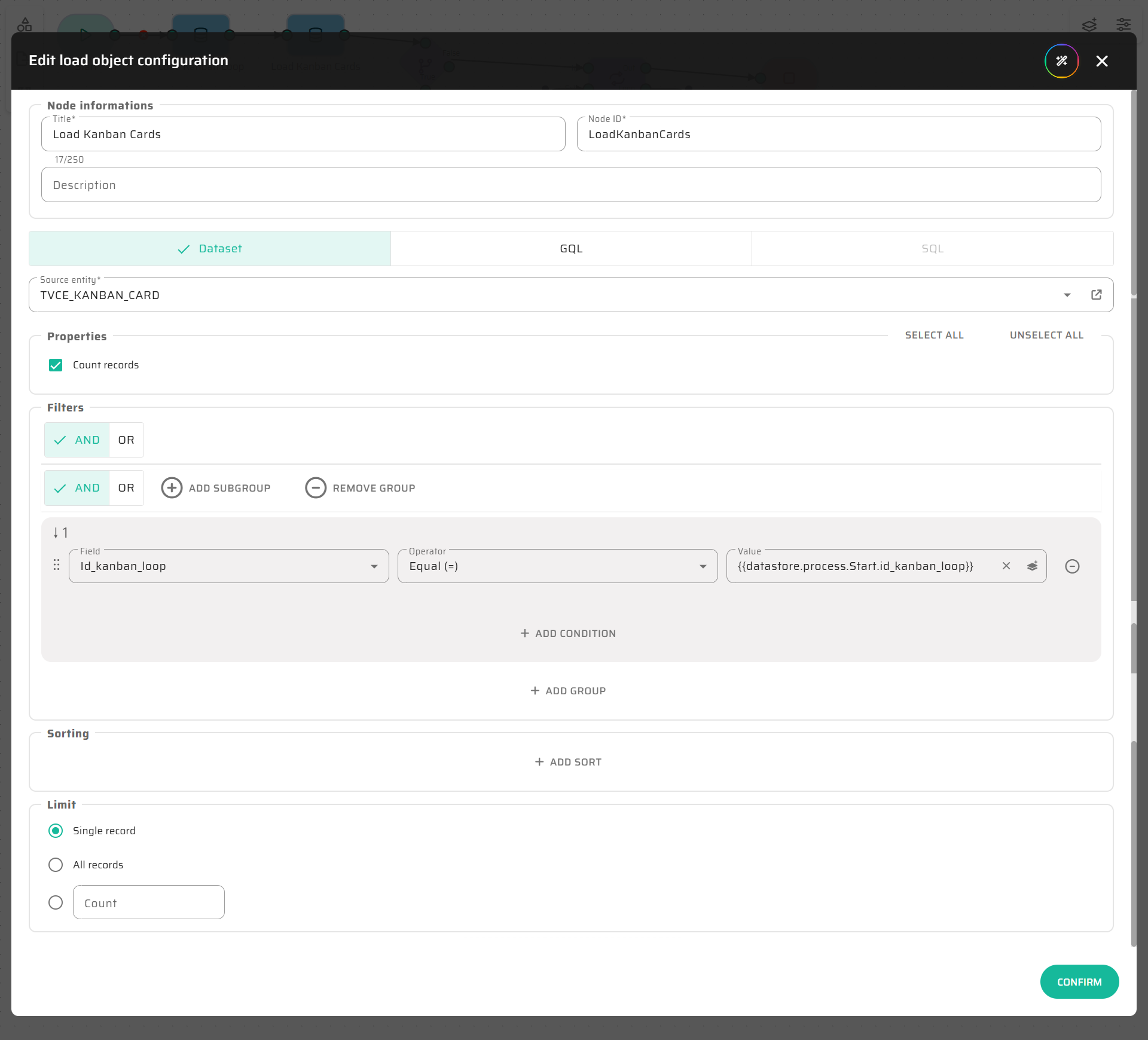
Step 4: The Decision (If Node)
Now we have two numbers: the expected card count and the actual card count. We use an If node to compare them.
Add an If node and name it Enough Kanban Cards.
Condition: We want to check if the target number is less than or equal to the existing count. Use this expression:
{{datastore.process.LoadKanbanLoop.Number_of_cards}} <= {{datastore.process.LoadKanbanCards}}.True Branch: Connect this to an End node. If we have enough cards, the process can safely end.
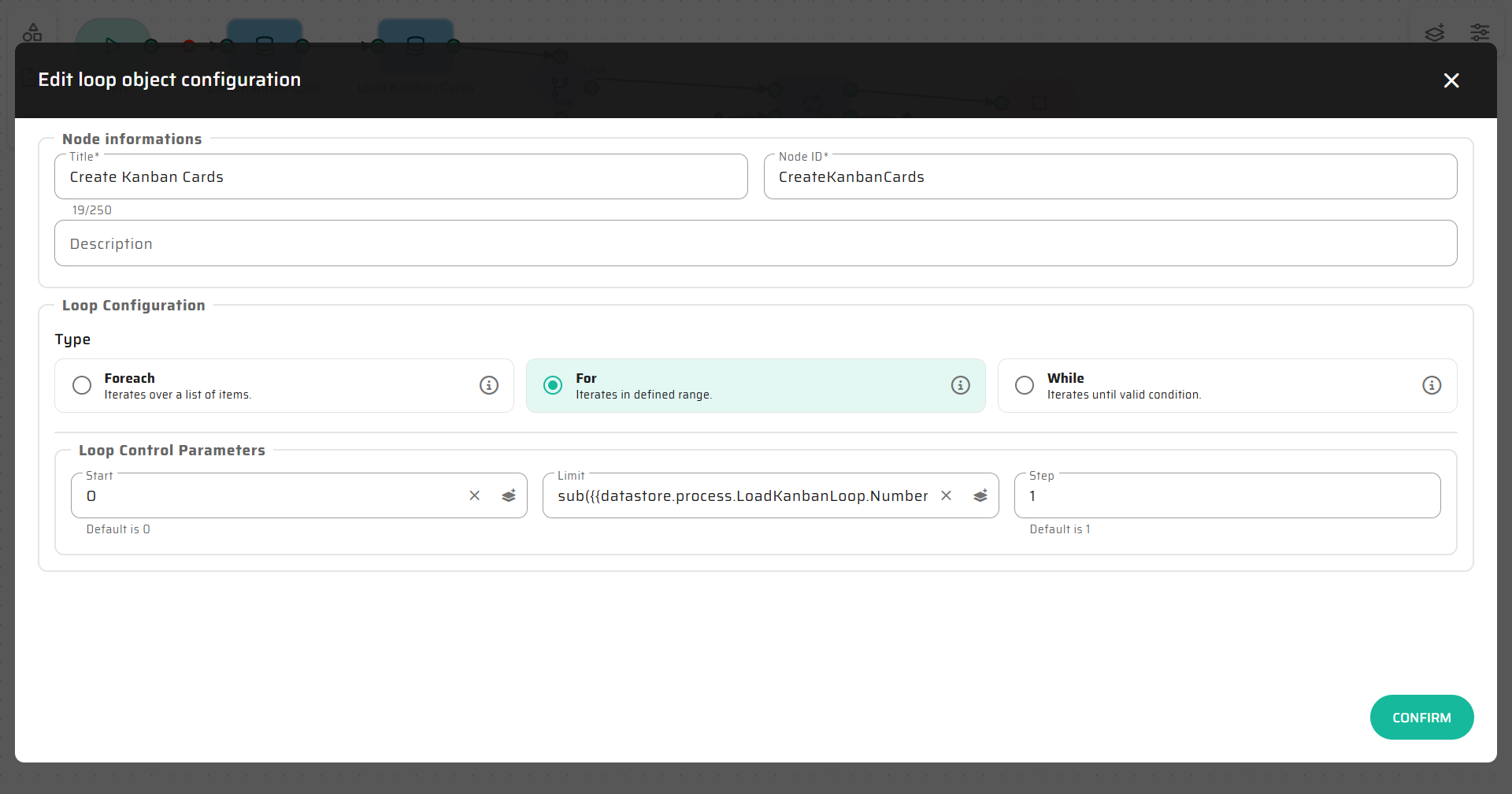
Step 5: Generate Missing Cards (For Loop)
If the condition is False (we are missing cards), we need to generate them.
Connect the
Falseport of the If node to a Loop node named Create Kanban Cards.Type: Select
For(since we want to run the loop a specific number of times).Loop Control Parameters: * Start at:
0.Limit: We need to calculate the difference using a simple math expression
sub()(subtract). Paste this into the limit field:Step:
1.
sub(
     {{datastore.process.LoadKanbanLoop.Number_of_cards}},
     {{datastore.process.LoadKanbanCards}}
)
Step 6: Create the Card and its First Location
Inside the Loop, we will add two Create Object nodes.
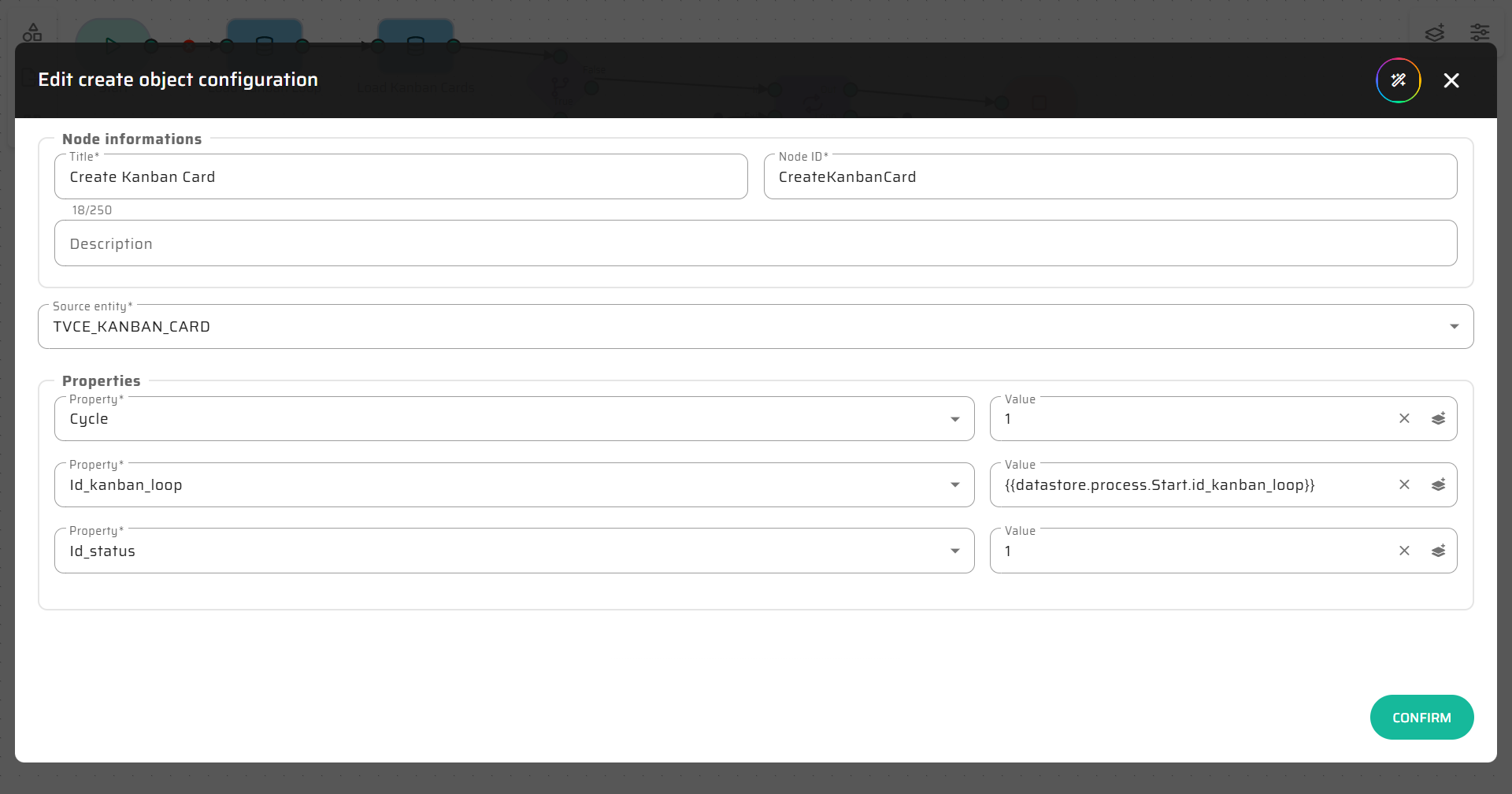
Create Kanban Card:
Entity:
KANBAN_CARDId_kanban_loop: Select the ID from your Start node.
Cycle: Set to static value
1.Id_status: Set to static value
1.
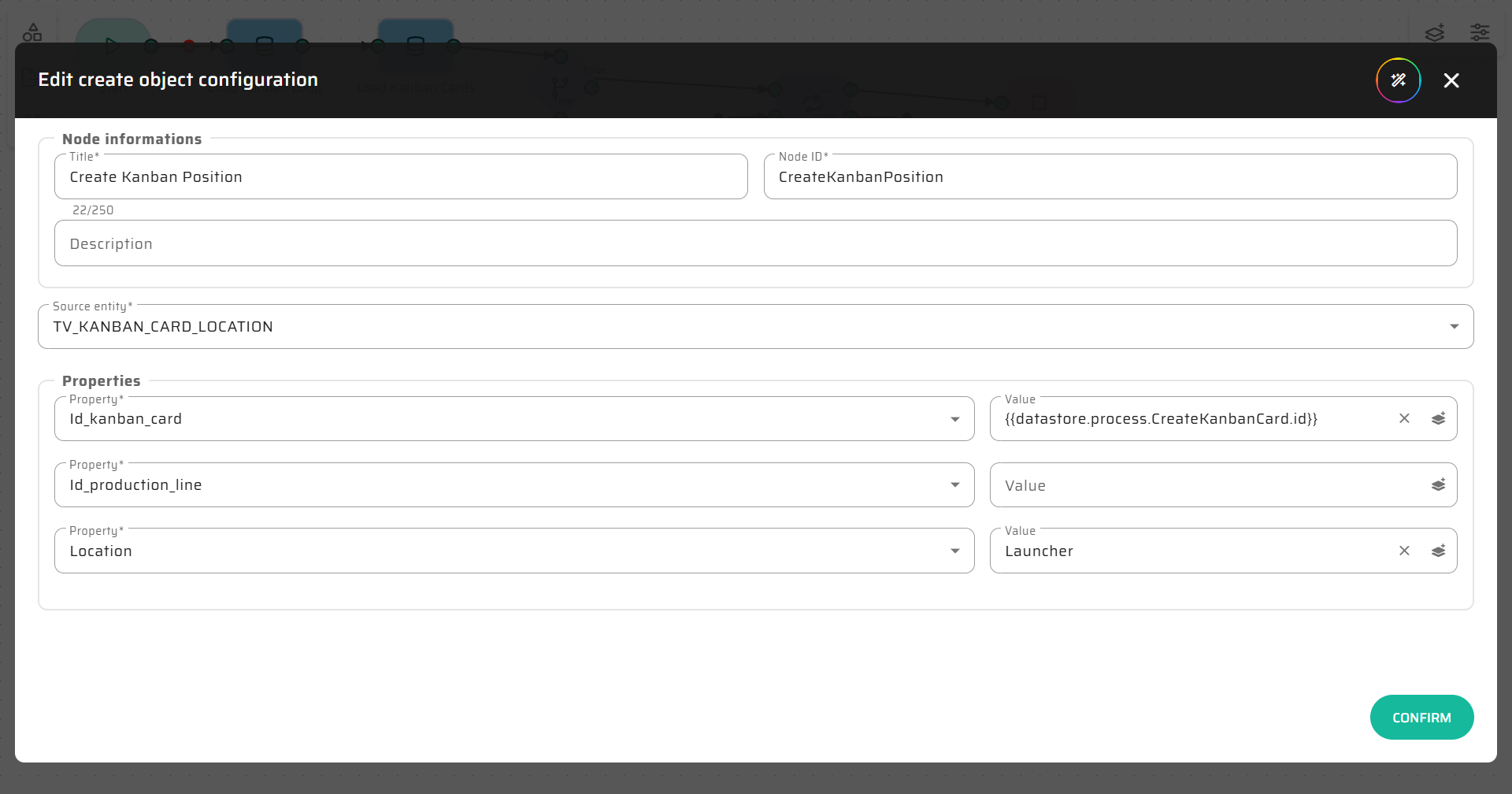
Create Kanban Position:
Entity:
KANBAN_CARD_LOCATIONId_kanban_card: Select the ID from the
Create Kanban Cardnode you just made.Location: We want new cards to start in the Launcher, so type the static value
Launcher.
Close the loop by connecting this second Create node back to the Loop node.
Step 7: End the Process
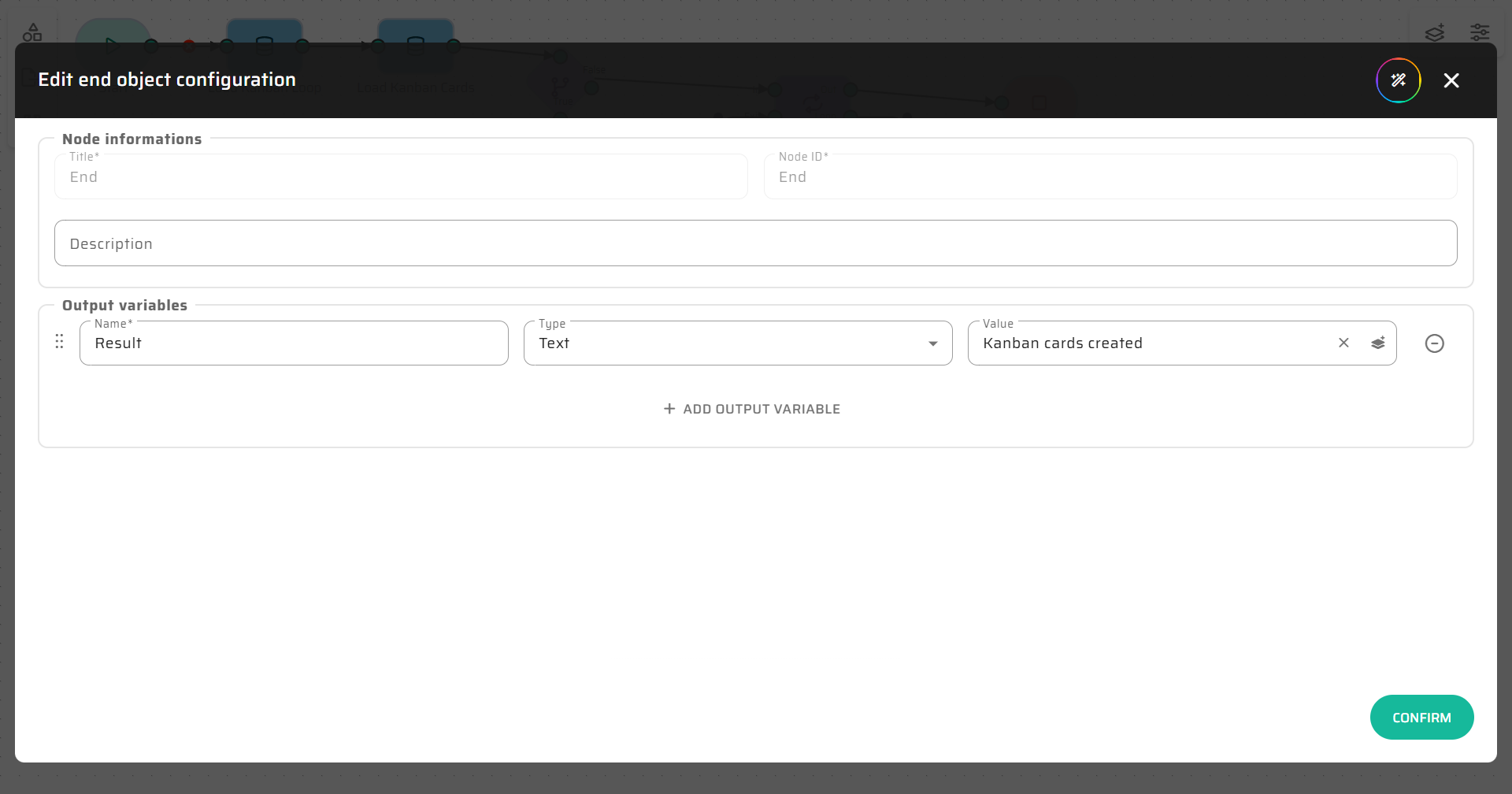
Connect the "Out" port of your Loop node to an End node. You can name it Kanban cards created.
Test It!
Save your process and run the Debugger. Try putting in a loop ID that has 0 cards and requires 5 cards. Watch how the loop automatically runs exactly 5 times and creates the required entities.
Next up: ➔ Flow 3: Board Interactions (Move & Release Cards)