
Main setting - Barcodes
In the “Main Settings”, we primarily fill in the basic settings of Barcodes.
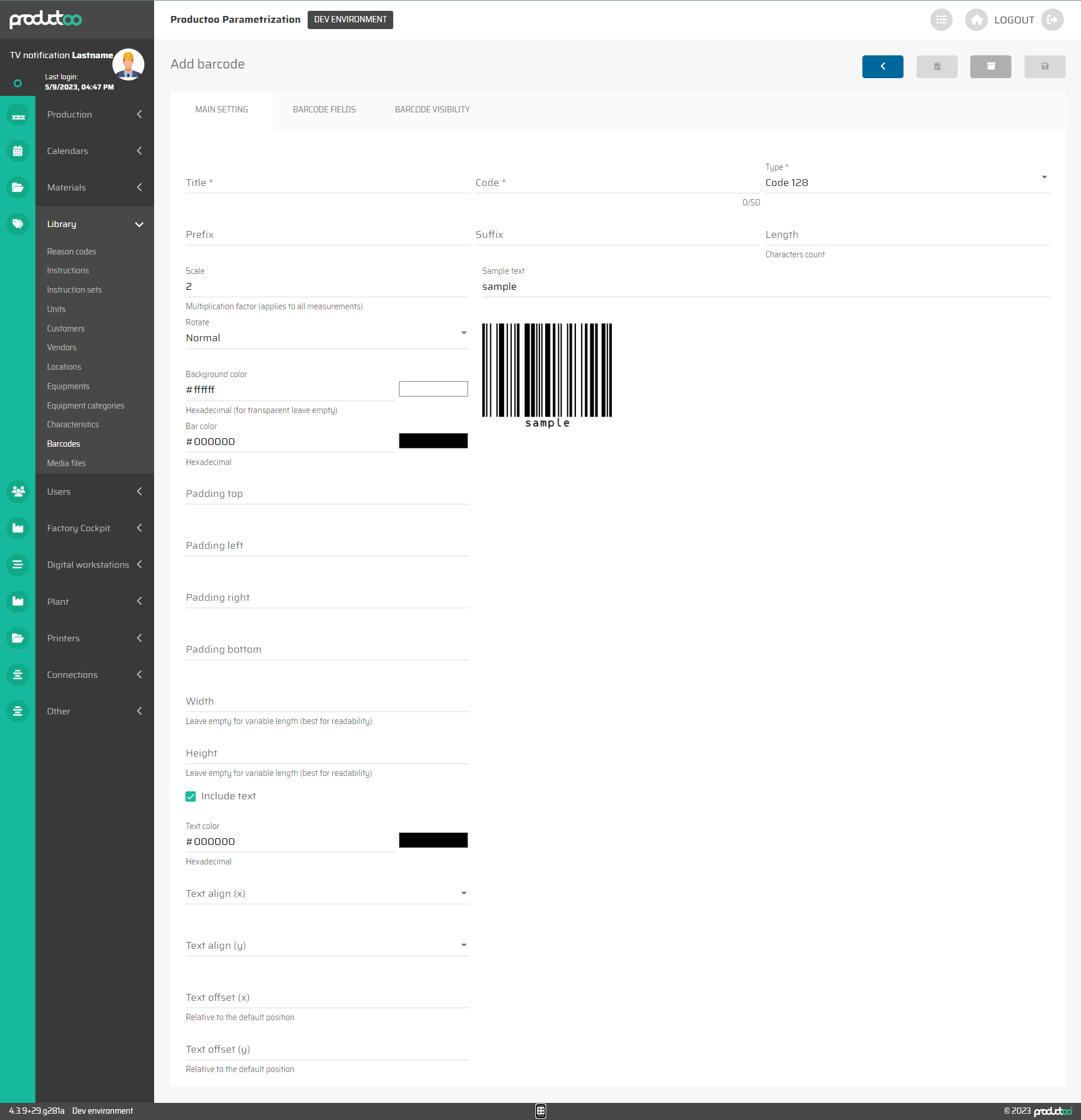
In the below table there are all parameters of the Barcodes tab Main Settings with its description.
Parameter name | Limitations | Possible values | Description |
|---|---|---|---|
Title | 50 chars | Free text | The title of the Barcode |
Code | 50 chars | Free text | The Code of the Barcode |
Type | Defined values |
| Definition of whether the information will be displayed as a standard barcode, QR code or as a data matrix. |
Prefix | 2048 chars | Free text | Prefix of the Barcode |
Sufix | 2048 chars | Free text | Sufix of the Barcode |
Length | 0 or positive number | number of characters | Totel length of the Barcode |
Scale | 0 or positive number | number | Size of the Barcode - Multiplication factor (applies to all measurements) |
Sample text | ? chars | Free text | Sample text that should be displayed in the sample picture below |
Rotate | Defined values |
| Rotation of the Barcode |
Background color | Hexadecimal | #ffffff | Background color of the Barcode |
Bar Color | Hexadecimal | #000000 | Color of the Barcode |
Padding top | 0 or positive number | pixels | Top padding of the Barcode |
Padding left | 0 or positive number | pixels | Left padding of the Barcode |
Padding right | 0 or positive number | pixels | Right padding of the Barcode |
Padding bottom | 0 or positive number | pixels | Bottom padding of the Barcode |
Width | 0 or positive number | pixels | Width of the Barcode (Leave empty for variable width - best for readability) |
Height | 0 or positive number | pixels | Height of the Barcode (Leave empty for variable height - best for readability) |
Include text | checkbox | on / off | Defines whether the barcode value should be displayed below the image itself as text. |
Text color | Hexadecimal | #000000 | Color of the text |
Text align (x) | Defined values |
| Aligh of the text in the X axis |
Text align (y) | Defined values |
| Aligh of the text in the Y axis |
Text offset (x) | 0 or positive number | pixels | Offset of the text in the X axis (relative to the default position) |
Text offset (y) | 0 or positive number | pixels | Offset of the text in the Y axis (relative to the default position) |