
Modules, Pages and Hierarchy
A P4 application isn’t a single monolith - it’s part of a multi-application ecosystem.
At the top, users enter through the Application Hub, which serves as a portal to several sub-applications (Production Control, Configuration Studio, Maintenance Terminal, and others).
Each sub-application then defines its own internal hierarchy of modules and pages, which together form the navigational skeleton of that application.
This layered model allows implementers to design complete software suites - multiple independent applications, each with their own structure, logic, and branding - all running on one platform.
- Application Structure - přidání hierarchické struktury
Hierarchical Model
Level 1 – Application Hub (Portal / Workspace)
The Hub is the entry point.
It aggregates multiple applications into one visual dashboard, where each tile represents a distinct Application.
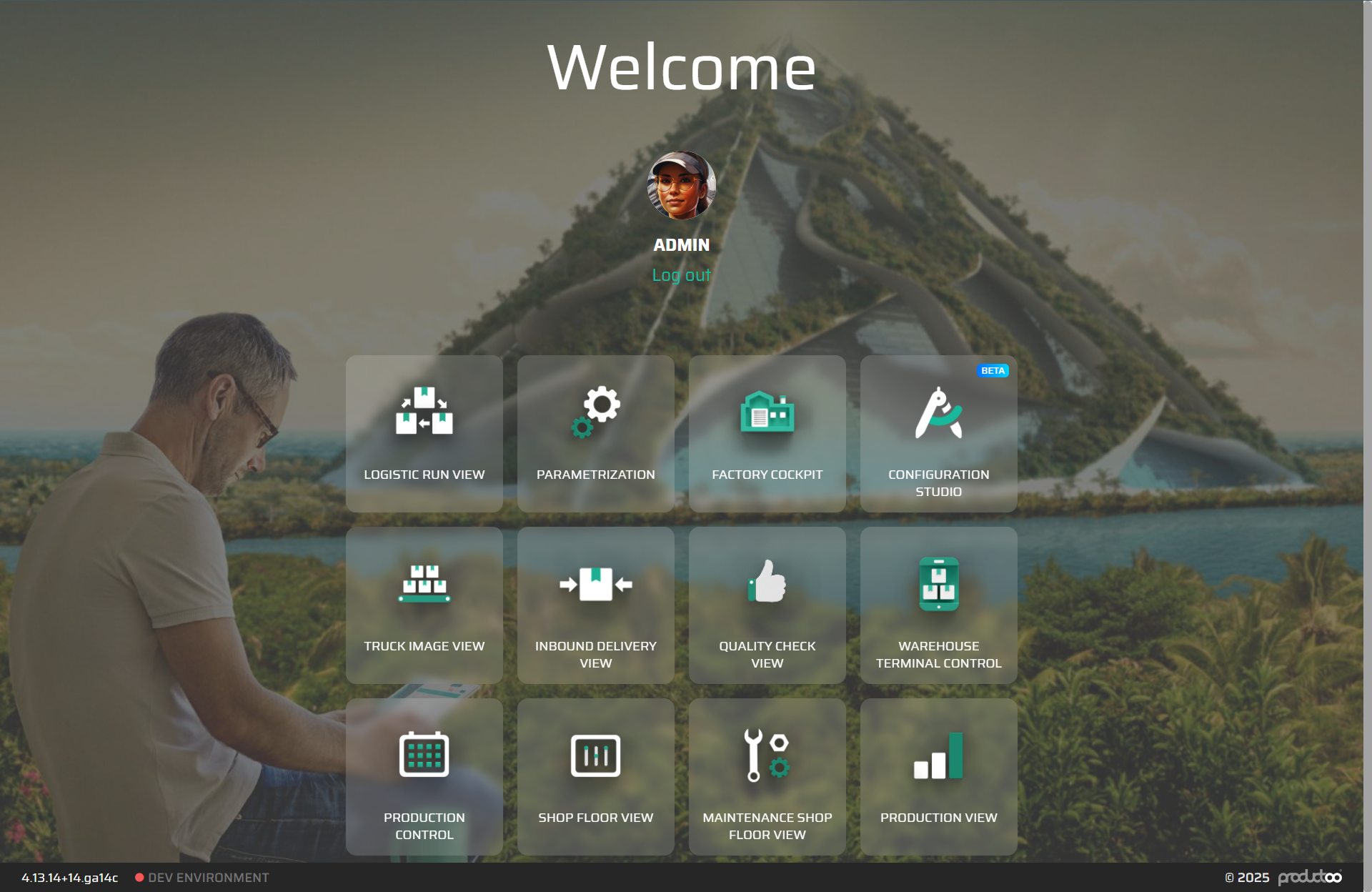
Each tile can have its own icon, label, and access rule (so different users see different sets of applications).
Purpose
Provides a central access point for all P4 applications.
Manages high-level visibility and role-based access to sub-applications.
Defines the overall branding and environment context (tenant, theme, etc.).
Level 2 – Application (Sub-Application / Solution)
An Application represents a complete, self-contained context - e.g., Production Control, Maintenance Shop Floor, or Factory Cockpit.
Each one contains its own Application Structure, which defines its internal Modules and Pages.
Properties
Application ID, Name, Icon, Description
Default landing module or page
Role mapping and access control
Optional parameters (branding, theme, locale)
Level 3 – Module (Functional Area)
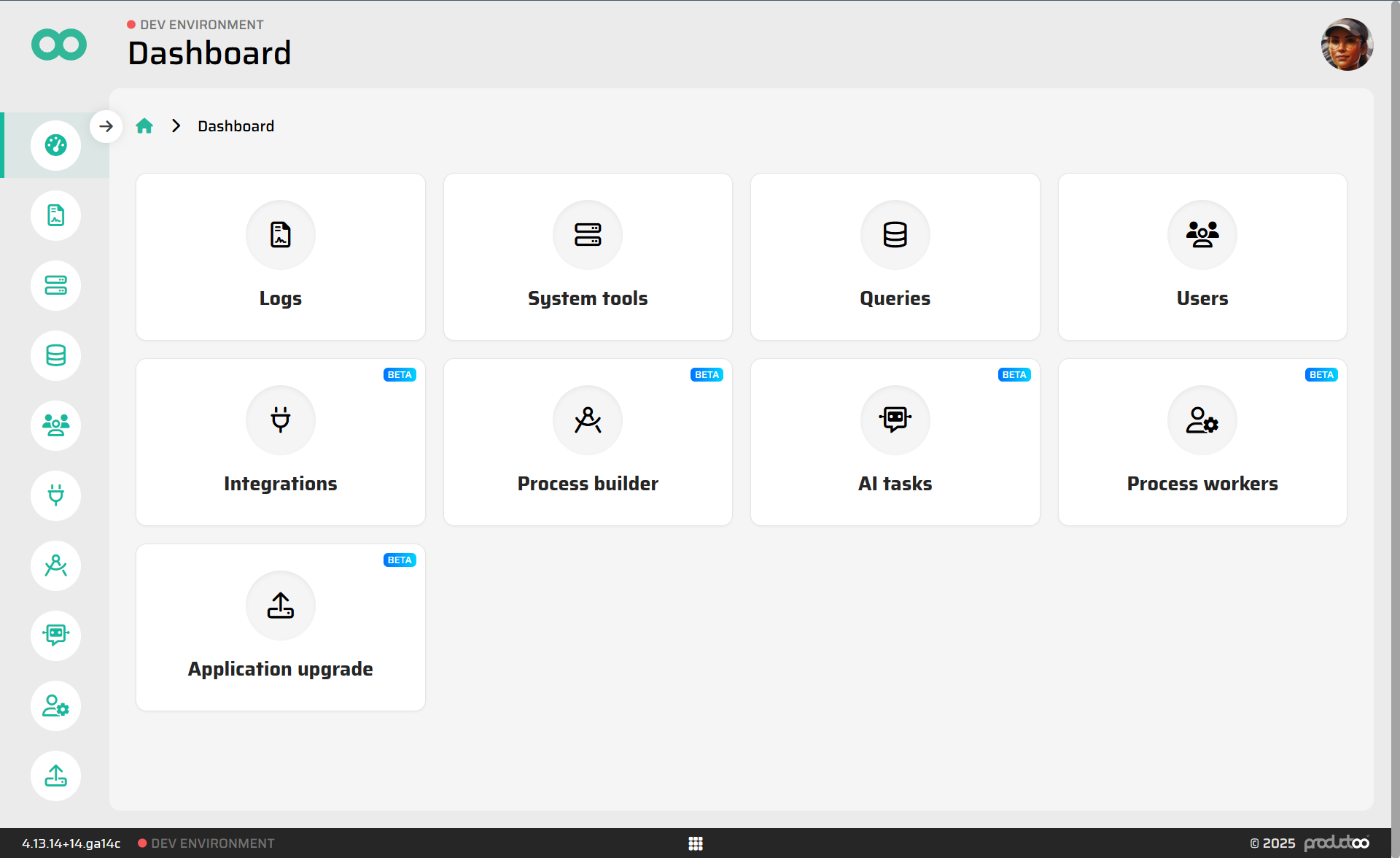
Inside an application, modules divide functionality into logical areas - such as Operators, Reports, Assets, or Team Management.
Modules are represented in the left-hand navigation (sidebar) and define the contextual frame for their child pages.
Purpose
Organize related pages under one domain.
Define navigation hierarchy and default entry point.
Provide data or visibility context that applies to all its pages.
Key attributes
ID, Name, Icon, Order
Parent Module (optional, for nested hierarchies)
Visibility Rules (based on role, site, or conditions)
Default Page reference
Modules don’t define UI directly - they exist to group and route to Pages.
Level 4 – Page (Routable View)
Pages are the interactive, navigable screens within a module.
Each Page binds a Layout (from the Layout Layer) and provides the runtime context for its widgets and flows.
Page attributes
Route (e.g.
/maintenance/work-orders/:id)Layout reference
Title, description (for breadcrumbs and menu labels)
Parameters (path/query variables passed to flows and layouts)
Visibility & access rules
Cache policy
When a Page loads, its Layout initializes, onLoad flows run, and widgets render data into the interface.
Example Hierarchy
Application Hub
  ├─ Production Control
  │    ├─ Operators
  │    │     ├─ Overview (/production/operators)
  │    │     └─ Detail   (/production/operators/:id)
  │    └─ Reports
  │          └─ KPI Dashboard (/production/reports/kpi)
  ├─ Maintenance Shop Floor
  │    ├─ Assets (/maintenance/assets)
  │    └─ Work Orders (/maintenance/work-orders)
  └─ Configuration Studio (admin-only)
Each top-level Application in the Hub is completely autonomous, yet shares the same runtime and platform services (user session, localization, theming, etc.).
Context and Propagation
Context flows naturally down the hierarchy:
Hub → Application → Module → Page
Access and visibility settings cascade downwards.
Route parameters and variables are passed from parent levels.
Each Page inherits application-level context (site, user, language) while keeping its own scope for flows and data.
This design ensures consistency between applications while preserving independence.
Design Guidelines
Treat each Application as an autonomous product area - with its own navigation, branding, and ACL.
Keep Modules shallow and clearly defined; they are categories, not mini-apps.
Use semantic routes for readability and integration (e.g.
/production/orders/:id).Reuse Layouts across multiple Pages or even across Applications when patterns match.
Always define a default Page for each Module and Application.
Let the Hub control user access to entire Applications; don’t replicate global visibility rules inside sub-applications.
Summary
The hierarchy in P4 can be visualized as:
Application Hub (Portal)
→ Applications (Sub-Apps / Solutions)
→ Modules (Functional Areas)
→ Pages (Routable Views / Layouts)
This model balances scalability and clarity: one platform can host dozens of modular applications, all governed by a consistent logic - yet each can evolve, deploy, and be secured independently.