
How to Use Bill of Materials (BOM) Validation
With the T4 software update, a function for validating material Bills of Materials (BOMs or material recipes) has been introduced. This guide outlines the entire workflow—from creating a new BOM to its publication and eventual utilization in production order creation. The validation feature aims to ensure that all BOMs used in the production process are properly reviewed and approved, thereby minimizing the risk of manufacturing errors.
Creating a New BOM
Navigate to the Parametrization module, then open the Materials section and access the tab for editing BOMs.

Complete all required fields for the new BOM. The Published parameter is disabled by default—remain it disabled until the BOM is validated.

Saving the BOM
After entering all necessary data, click Save. This action automatically sends an email notification to the designated user (the validator) responsible for reviewing and approving new BOMs.
BOM Validation
Email Notification: The assigned validator receives an email containing details about the new BOM, including the material specifics and the author.
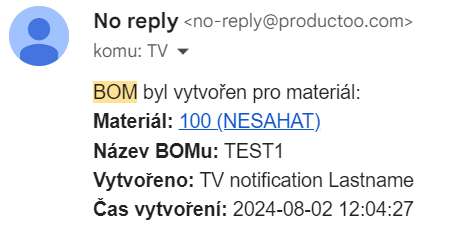
Review: The validator logs in to the P4 system, opens the new BOM, and conducts a thorough review to ensure that all items and parameters comply with technological requirements and company standards.
BOM Publication
If the BOM meets all requirements and passes validation, the validator activates the Published parameter and saves it. Once published, the BOM becomes available for use in production orders. The system may also automatically send an additional email notification informing relevant users of the publication.
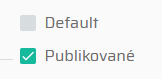
Using a Published BOM
Once published, the BOM can be selected during the creation of new production orders for the respective material. Unpublished BOMs remain inaccessible in this stage.
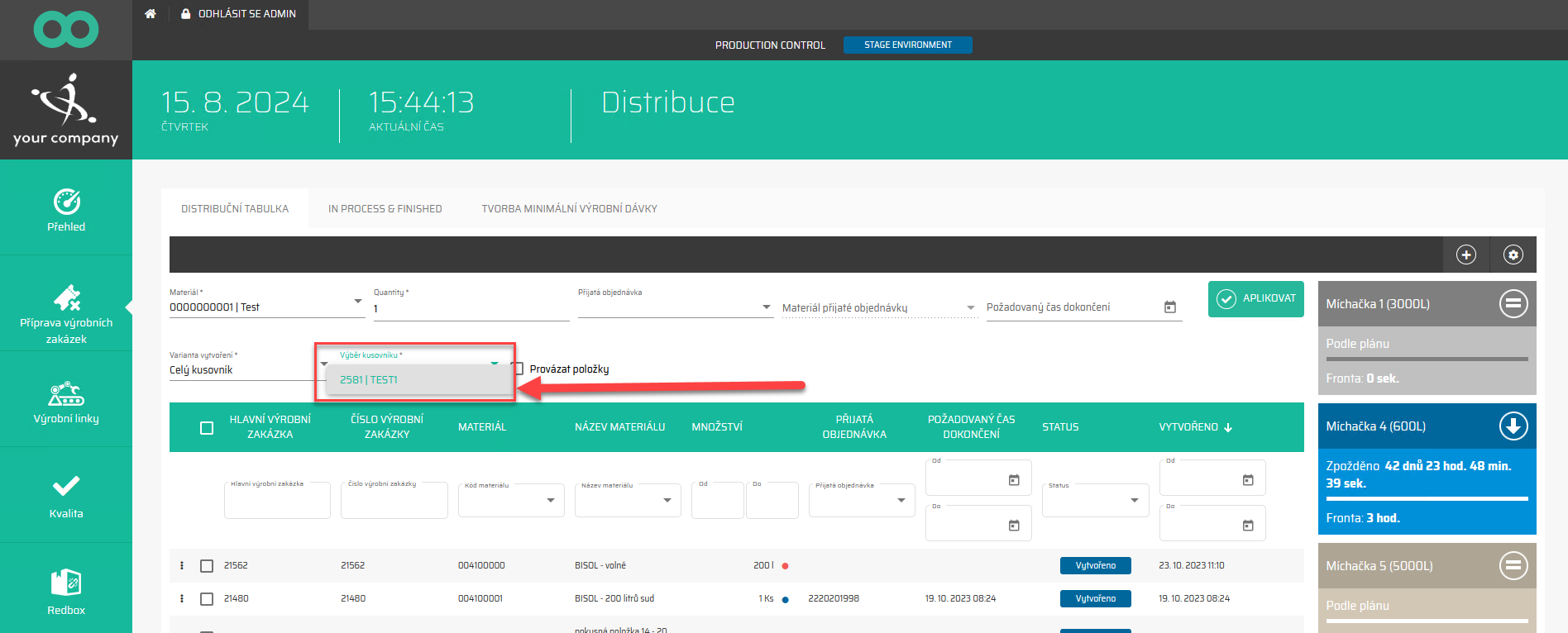
Important Notes
Irreversibility of Publication: Once a BOM is published, this action cannot be undone. Ensure that only complete and accurate BOMs are published.

Error Handling: If a BOM is published by mistake or contains errors, it must be deleted and a corrected version created anew.
Summary
The BOM validation workflow in P4 ensures structured and reliable handling of material recipes:
Create a new BOM with the publication flag disabled.
Save to trigger validation workflow via email.
Validator reviews the BOM and marks it as Published if approved.
Once published, the BOM becomes available for use in production orders.
Publication is final; erroneous BOMs must be deleted and recreated.