
Layer Definition
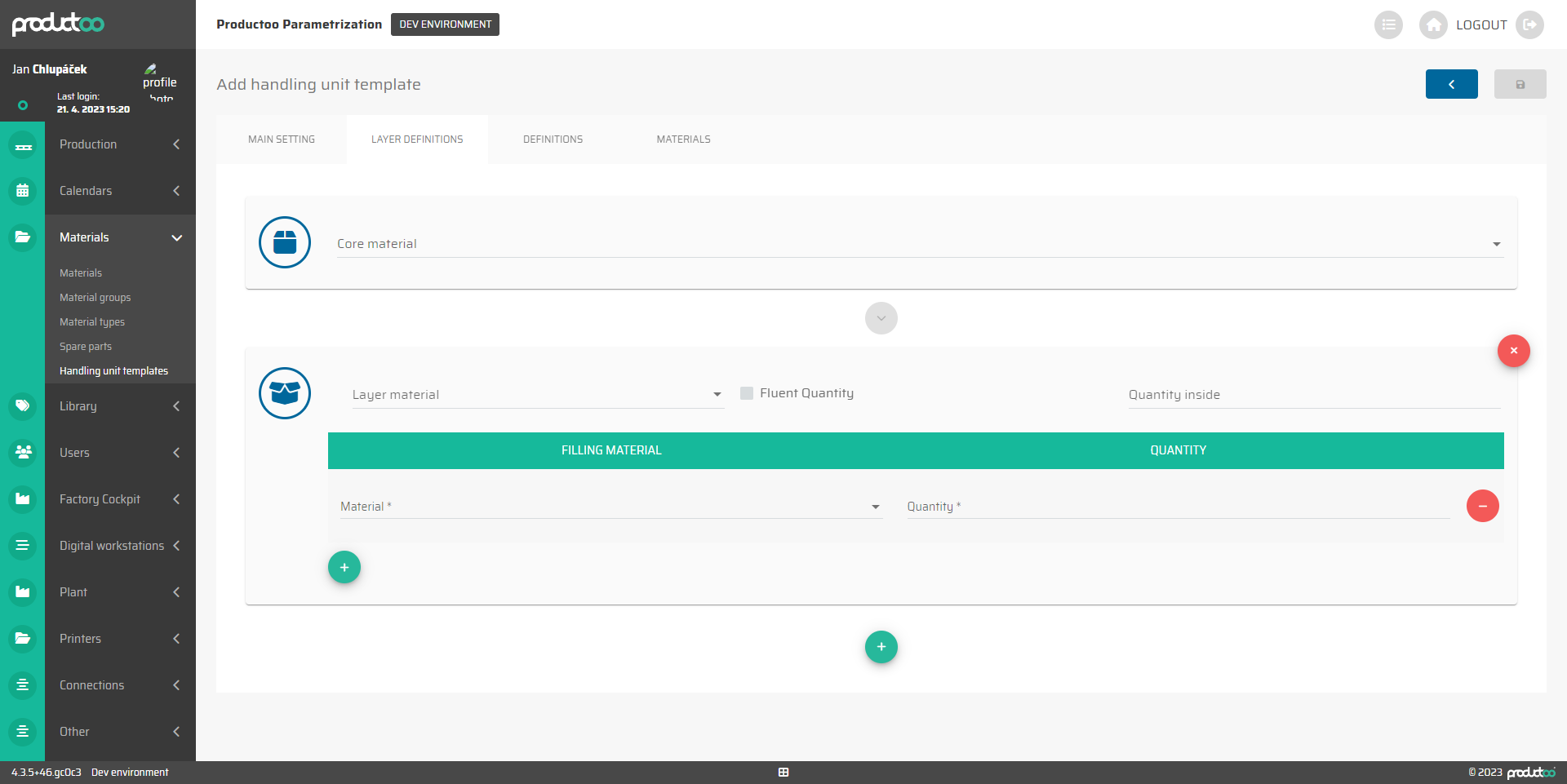
In the Layer Definition tab, we are able to set up the core material and define the layer material.
The operational button:
 - add a table of a layer material
- add a new row of a filling material
:minus_delete: - Delete a row to delete the definition.
 - delete all parameters of layer material
Parameter name | Limitations | Possible values | Description |
|---|---|---|---|
Core material | defined values | The list of all available materials for selection | If only one material is packed in the handling unit template, it can be defined here. If the handling unit template is to serve as a general prescription for the type of packaging, this field is left blank. |
Layer material | defined values | The list of all available materials for selection | |
Fluent quantity | checkbox | on / off | enables/disables |
Quantity inside | number 0 and above | Free text | |
Filling material | defined values | The list of all available materials for selection | |
Quantity | number 0 and above | Free text |